Skip to content
Meet Proximaforma v0.2

Your ideas.
A new form.

People + agents + one canvas

A design workspace where your ideas take shape, with a little help from your AI agents.

Register. Connect your agent. Review together.
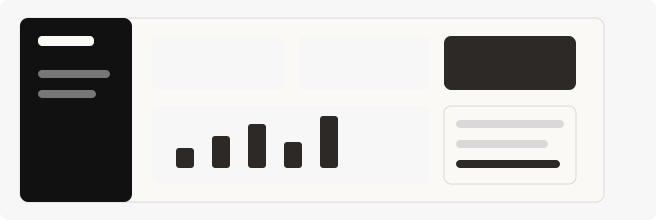
pOrbit workspaceSample design
orbit
WORKSPACE
◈ Overview
▦ Projects
☑ My tasks
▤ Notes
A little more space.
Make room for big ideas.
Explore Pro ↗
JD Jamie Davis
Workspace / Overview
A little focus. A lot of progress.
Everything you’re working on, in one good place.
+ New project
Active projects
08
2 started this week
Tasks completed
24
8 more than last week
Focus time
32h
Looking good this week
Your projects
View all ↗
Website refresh
Design
12 / 18 tasks
In progress
Mobile experience
Product
8 / 24 tasks
In progress
Brand guidelines
Branding
16 / 20 tasks
In review
Interactive preview · try an example edit
From first thought to thoughtful interface.HUMAN DIRECTION. AGENT ITERATION.
01

A canvas for your thinking.

Go from a blank frame to a considered interface. Arrange screens, shape layouts, and see the whole picture.

02

Another pair of hands.

Connect your agent through MCP or the API. Let it create and refine the same elements you work with.

03

Every detail stays yours.

Move a layer. Change the type. Find the right spacing. Keep shaping the work until it feels right.

Built to work together

You set the direction.
Your agent helps
move it forward.

Describe a screen. Ask for a variation. Refine it by hand. Your agent works with real layers and frames, so every change stays open to your next idea.

Bring your agent
MCPREST APILive updates
YOU

“Add a welcome screen with a clear headline and a button to get started.”

YOUR AGENT · EXAMPLE OPERATION
batch_edit({
  projectId: "your-project",
  operations: [
    { op: "add", element: {
      id: "welcome", type: "frame",
      name: "Welcome", width: 400,
      height: 600
    }},
    // Add a headline and a button…
  ]
})
Editable elements. Ready for your touch.
A natural back-and-forth

Think it. Shape it.
Make it better.

Find your way to work
01

Start with a possibility

An empty canvas or an editable sample. Give your product idea a place to begin.

02

Build on it together

Let an agent add the first elements. Take over to tune the layout and details.

03

Take the work forward

Preview your screens and export SVG or structured JSON for the next step.

A few good questions

A little clarity
before you create.

Find your way around
What can I design?

Product screens, mobile interfaces, dashboards, and early application concepts. Start with frames, text, shapes, vector paths, buttons, and images, then refine their position and appearance on the canvas.

Is there an AI model built in?

Forma is the native design agent, with text chat and realtime voice when the workspace host configures OpenAI. You can also connect your own agent through MCP or the REST API. Provider accounts and usage charges are separate.

Can I edit what an agent creates?

Leave a pinned comment to guide your agent. It can read the thread, refine the editable design, reply, and mark feedback handled. The advanced editor remains available for manual changes.

Where does my work live?

In the database on the computer running this installation. Accounts have private canvases, with access controlled for reviewers and agents. SVG and JSON exports let you take your designs with you.

Does it generate a working application?

The current version creates visual interface designs. It does not yet generate application code, interactive prototypes, auto layout, or reusable component instances.

Can my team work in it remotely?

Accounts and invitations support shared review with view-only or commenting access. This installation runs locally; remote teammates need a deployed HTTPS instance. A managed hosting service is not included.

The next idea is yours

Let’s give it
some form.

Open a canvas. Bring an agent.
Make something worth refining.

Create an accountPrivate canvases. Bring your own agent.